Cubit 17.10 User Documentation
Cubit 17.10 User Documentation
The Webcut Offset command creates a cutting tool from one or more selected surfaces offset by a specified distance. The following command is used:
Webcut {Body <ids>|Volume <ids>|Group <ids>} Offset Surface <ids> Distance <value> [Loft]
[{Imprint|Tolerant_Imprint} [include_neighbors]] [Merge] [group_results] [preview]
The optional parameters are similar to those described under Web Cutting Options, with the exception of the Loft option. The Loft option requires a negative (inward) distance value. It creates lofted volumes between each original surface and its corresponding internal offset surface. By nature of the creation method, these lofted volumes are always meshable via the sweep scheme. This is useful for creating a geometric representation of a boundary layer.
The following example creates a T-shaped body from two cylinders and web cuts it by offsetting the cylindrical surfaces inward by 0.2 units:
cyl radi 2 z 10
cyl radi 1 z 10
rotate vol 1 angle 90 about x
unite vol all
split periodic vol all
webcut vol 1 offset surface in vol 1 except surf 2 6 3 5 distance -.2
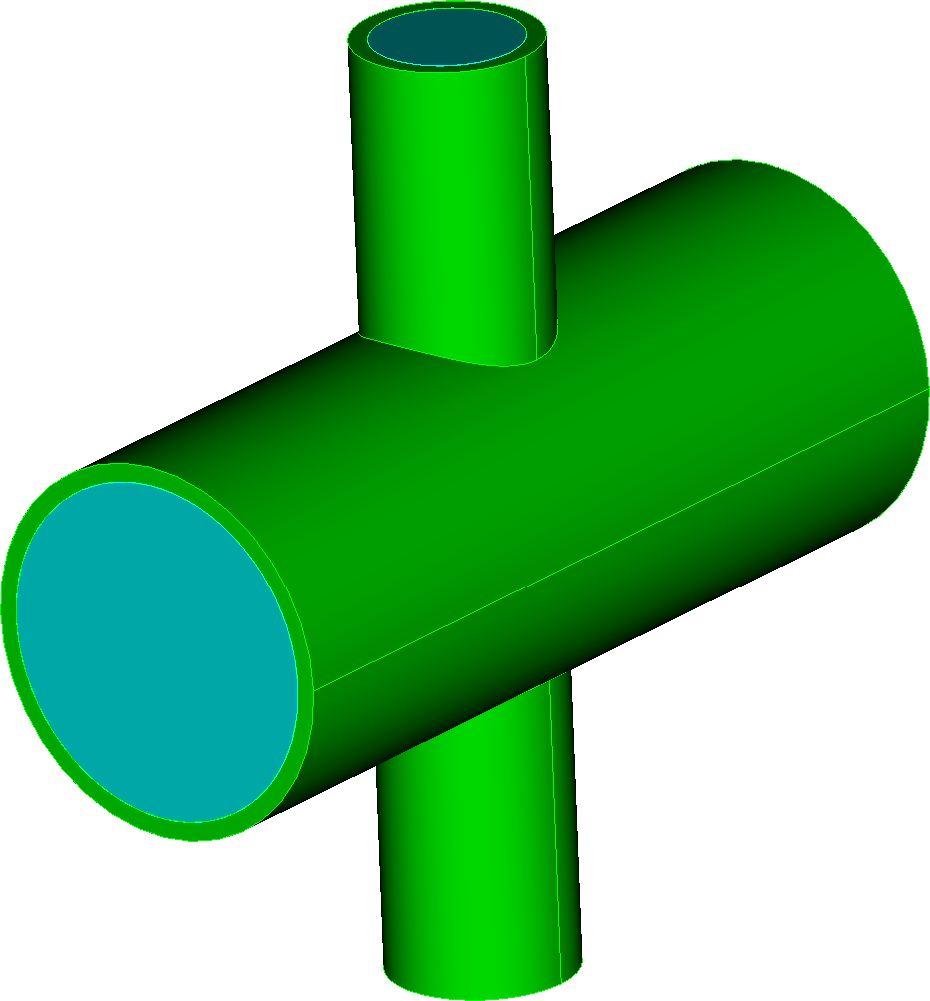
Figure 1. Result of the Webcut Offset command without the Loft option.
Adding the Loft option creates volumes between the original and offset surfaces that are directly meshable with the sweep scheme, useful for boundary layer representations:
cyl radi 2 z 10
cyl radi 1 z 10
rotate vol 1 angle 90 about x
unite vol all
split periodic vol all
webcut vol 1 offset surface in vol 1 except surf 2 6 3 5 distance -.2 loft
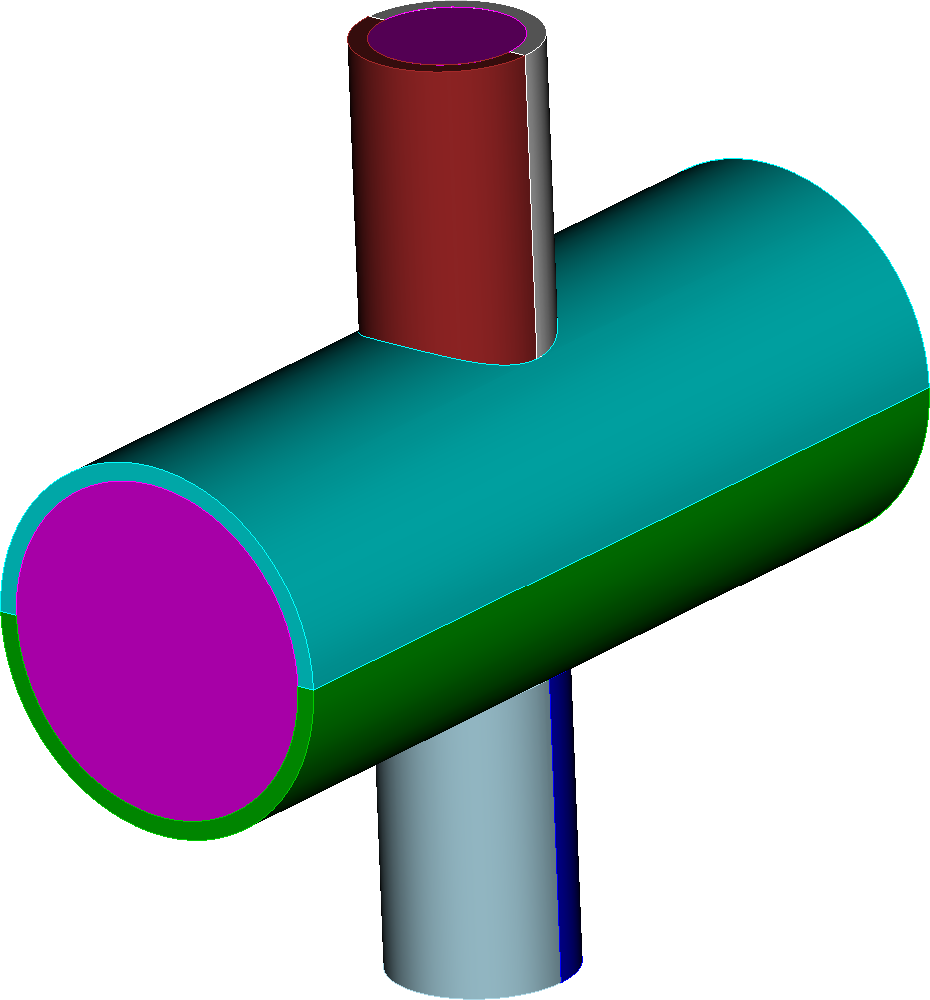
Figure 2. Result of the Webcut Offset command with the Loft option. The boundary layer volumes are directly meshable using the sweep scheme.